One-day tournament
Superior. NOTE: Until (date) Profixio support must activate this type of solution for a tournament. If you shall run a one-day tournament, we recommend to use our solution "Profixio Cup One-Day". Thi…

Updated
by Ole Kristian Engvoll
Superior
NOTE: Until (date) Profixio support must activate this type of solution for a tournament.
If you shall run a one-day tournament, we recommend to use our solution "Profixio Cup One-Day". This solution is very simple and is designed for a fast schedule and with matches positioned more manually. The superior design for this solution is:
- No need for training
- Fast scheduling
Getting started
First of all, make a tournament registration site as usual. This is done by the step-by-step wizard.
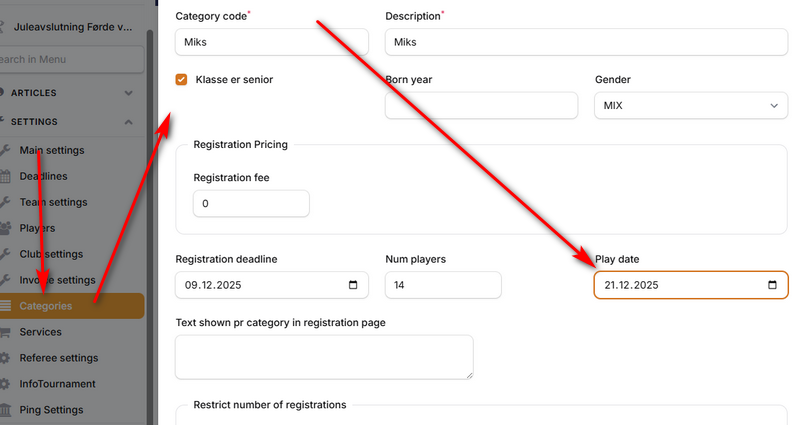
To ensure correct playing date, enter date in "Settings" - "Categories" -> "Play date"
Starting schedule solution
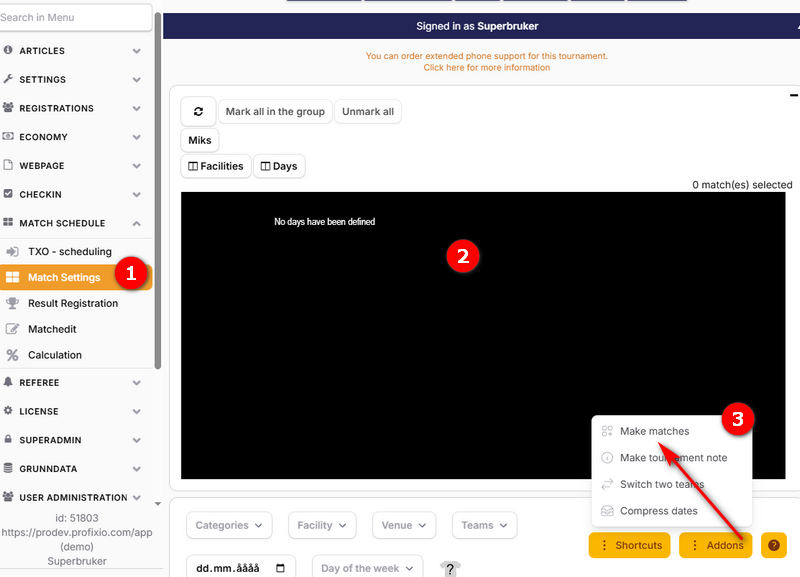
- Enter APP, menu "Match schedule" - "Match settings"
- The visualizer will be empty at first (no dates and no venues). This is by design.
- Enter button "Addons" - "Make matches"
Prepare schedule
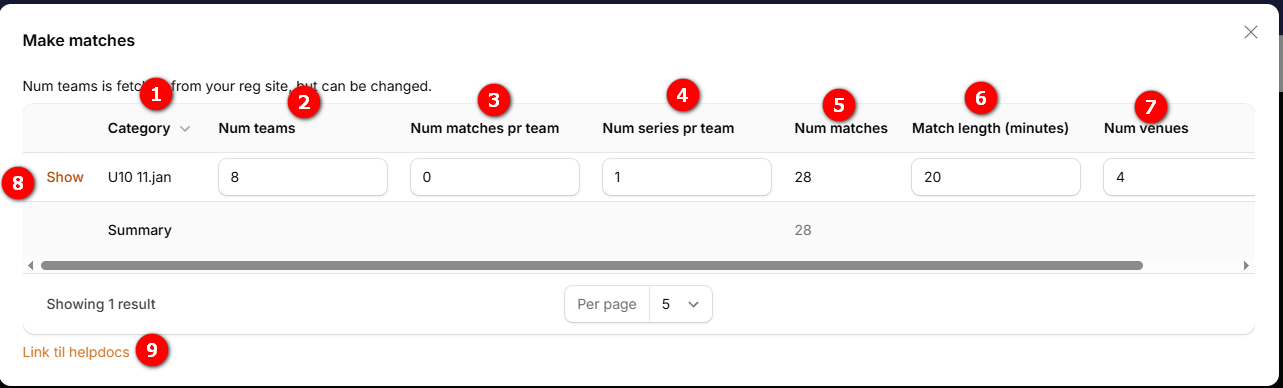
- Showing category name.
- Number of teams are fetched from registration site. This will only influence number of hours calculated.
- Num matches pr team: If a group contains of i.e. 8 teams, each team can be set to play i.e. 4 matches.
- Num series pr team: If a group contains of i.e. 4 teams, each team can be set to play each other x times.
- Num matches: This is a calculated field telling you how many matches you will get in this category.
- Match length is the complete length a match will consume included break to the next match.
- Num venues: Enter how many venues you can position matches on.
- Enter "Show" to start to make schedule.
- Just a link til help docs.
Make schedule
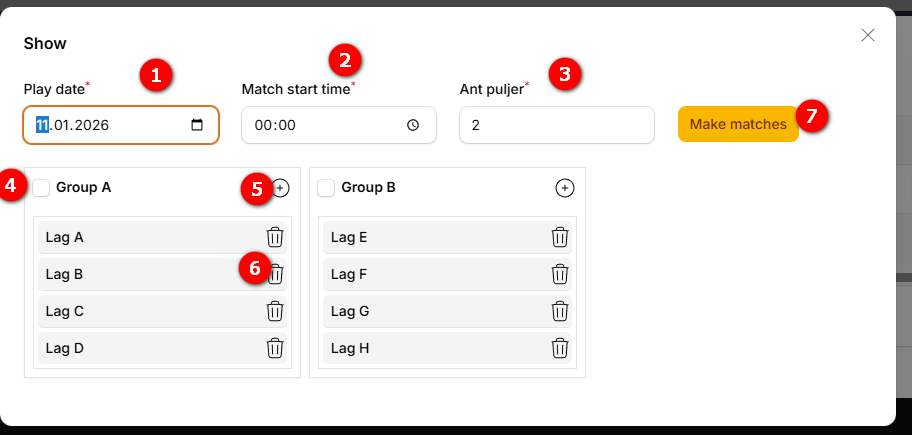
- Playing date is fetched from the registration site. This can be changed..
- Enter start time for the first match
- Enter number of groups. Changing this value will change the teams divided into groups.
- Table showing teams divided into group(s). NOTE: Check on group to include in schedule.
- Add a vacant team if necessary
- Vacant teams can be deleted. Registered teams can not be removed from schedule. In such case, you must un-register the team before scheduling.
- Click on "Make matches" to schedule selected group(s)
How did we do?
Golf