Table of Contents
Streaming by MyGame
Superior. Streaming by MyGame can be done for volleyball matches (not beachvb) with some criterias fulfilled. Credentials in order to activate streaming. First: Profixio support must activate streami…

Table of Contents
Superior
Streaming by MyGame can be done for volleyball matches (not beachvb) with some criterias fulfilled.
Credentials in order to activate streaming
First: Profixio support must activate streaming globally for a organisation and a sport.
When activated, an organisation admin can activate streaming for spesific leagues and categories.
NOTE: Organisation admin is the highest level of admin inside an organisation. Only few persons are set as org admins. Every users in a organisation can see status for other users. Enter menu "Admin" and follow the arrows. Highest level of admin is set with a green symbol i column "User admin".
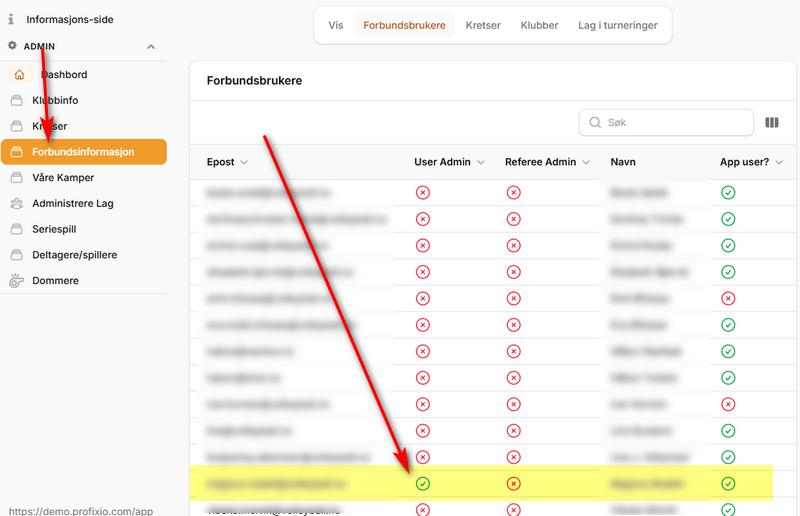
Activate streaming for category(ies) in a league
When logged in with correct credentials, enter menu "Admin" - "Streaming".
All leagues with all categories are shown and can be set to "Stream".
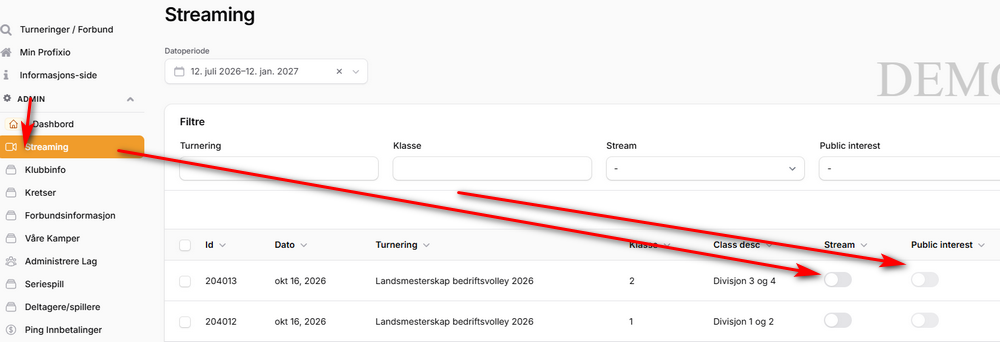
Choises for streaming
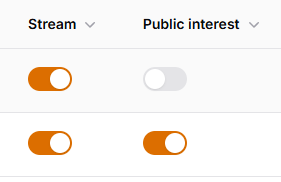
- In order to stream matches for a category, "Stream" MUST be turned on.
- The schedule admin must start streaming for each match which can be and shall be streamed.
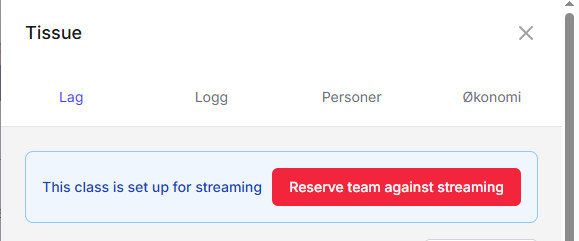
- If "Public interest" is turned off (see top row in image below), matches can be set to "Not streamed" in follwing situations:
- Team leader can reserve its team against streaming (see image below)
- Player within NIF has a reservation
- If "Public interest" is turned on, no reservations is possible and the match will be availible for streaming whatever.
 |  |
Player reservation data from public register
Terminology: Tournament squad is the players downloaded for a team and will be availible for all matches during the league. Match squad is the players for each match. They can be fetched from the tournament squad or entered as free text (with no reservation check).
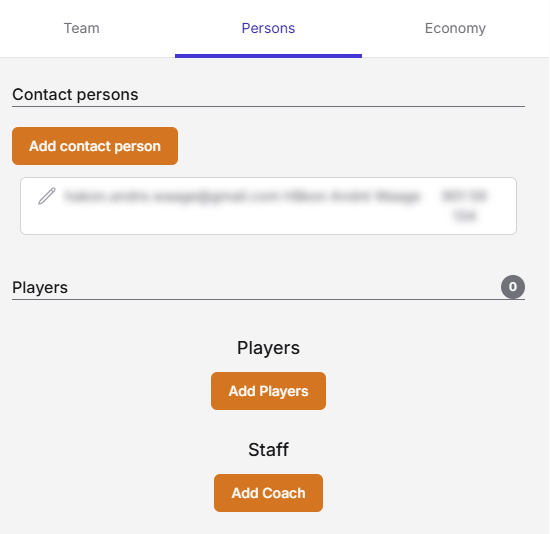
One of the team leaders must add players from public register site to the team. This can be done from "Persons" in the team card. Players can only be chosen from the public player license register. It is not possible to add players by free text. If a player is set with reservation = true, the match will not be availible for streaming.
Note: First time a team leader shall populate players for the team, all players must be fetched from public register. The team leder need to have special credentials against public register (owned by NIF in this case), in order to download licensed players. It is assumed to be some problems around this (typical team leaders with no access to download players).
Next time the team shall populate players, players can be fetched from Profixio database. Now the team leader do not need to have special credentials against NIF database.
Reservation updates for players
Reservations for players will be updated each 30min for matches which starts during 3 hours from now.
Removing reservation data for players
All reservation data for players will be deleted each night at 02:00AM.
Start streaming for a match
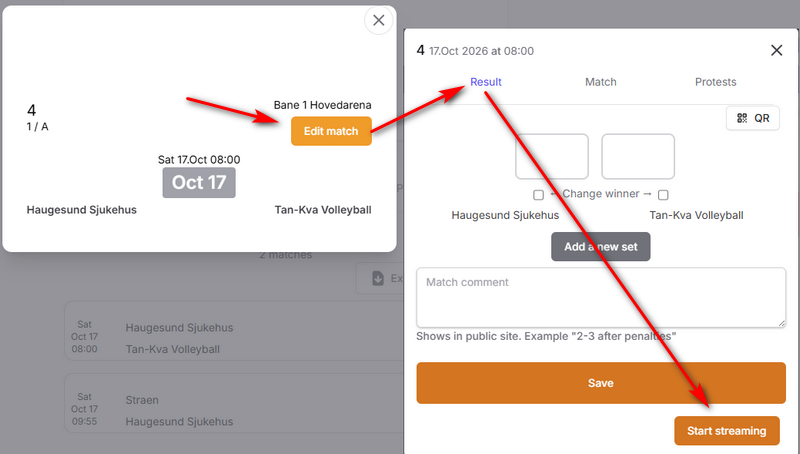
Click on the match and then "Edit match". Enter tab "Result" and click on button "Start streaming". Data will be transferred to MyGame which will make the camera running. Just click button "Stop streaming" if you must stop. If two persons or more has same match edit form active, the button will show the actual status using socalled websockets.
How did we do?